The reminder that won't leave you alone.
Steady reminds you to take your medication, then reminds you again every 15 minutes until you actually do. One tap on Taken and it goes quiet.
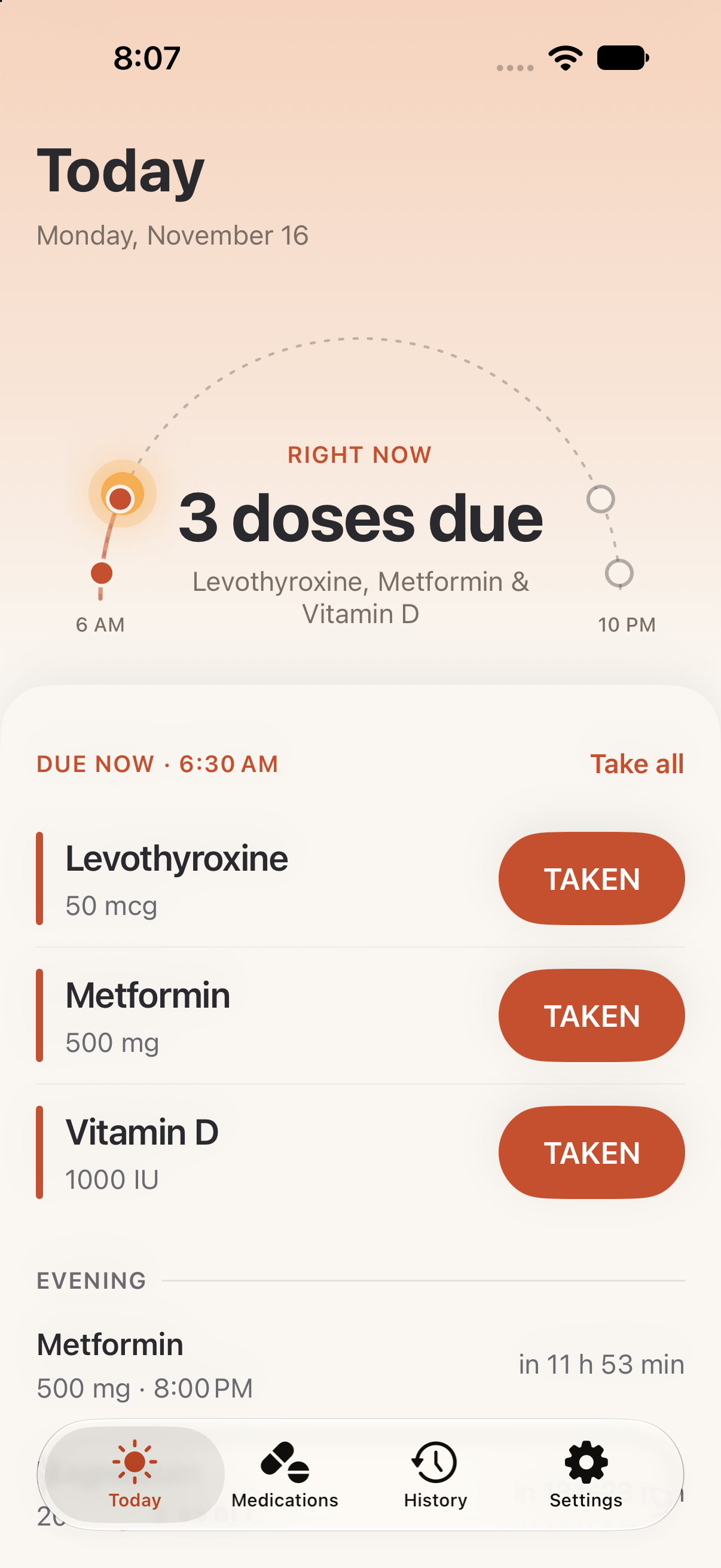
That's the whole point.
Most reminders go off once. You swipe them away, mean to come back, and don't. Steady doesn't accept a swipe as an answer. It keeps coming back until you tap Taken, and then it stops right away.
How it works
Add your medications
Name, dose and the times you take them. Things like pain relief can be logged only when you need them.
Get reminded. Again.
At each scheduled time you get a notification. Ignore it and another arrives every 15 minutes. You choose the interval in Settings.
Tap Taken
The reminders stop and the dose goes into your history, so you can see at a glance which days were complete.
It finds you everywhere. And Taken is always one tap away.
A due dose shows up wherever you look on your iPhone. Tap Taken right there, without opening the app.
Notifications
Long-press for Taken or Snooze.
Lock Screen & Dynamic Island
A Live Activity counts down to each dose.
Widgets
On the Home Screen and the Lock Screen.
Siri & Shortcuts
Say it, and the reminders stop.
Fits real prescriptions
Several times a day, a course with an end date, or pain relief you log only when you take it.
Works when closed
Reminders are scheduled ahead of time, so they arrive even if you never open the app.
No streaks, no scores
A plain record of what you took and when. Nothing to gamify.
iPhone and iPad
Turn on iCloud sync to keep the same list on both. Off unless you choose it.
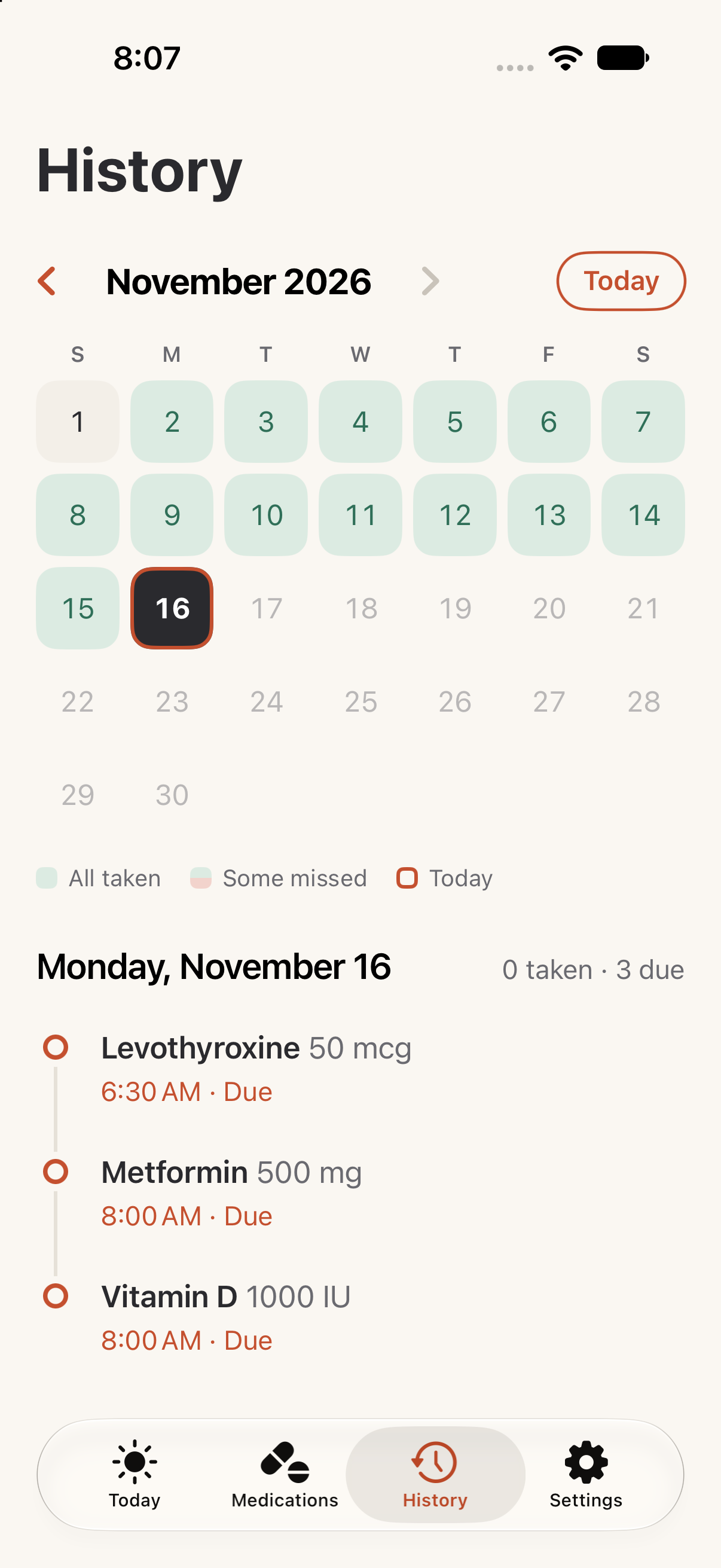
See every dose, and every one you missed.
Each day fills in as you go. Took something late? Mark it taken from History and the record stays honest.
Persistent, not nosy.
Steady will nag you, but it won't tell anyone else what you take, including whoever picks up your phone.
Questions
Will it really keep reminding me?
Yes. By default a missed dose comes back every 15 minutes until you tap Taken. You can change that to every 30 minutes, every hour or every 2 hours — for all your medications or just one — and you can snooze a single reminder.
What if I took it but forgot to tap Taken?
Tap Taken whenever you notice. Missed an entire dose? Open History and mark it taken, and the record shows when you did.
Does it work when the app is closed, or offline?
Yes. Reminders are scheduled on your device ahead of time, so they arrive without Steady open and without a connection.
Will Focus or Do Not Disturb block it?
A Focus can hold reminders back. To be safe, allow Steady in each Focus you use.
Can I share my history with my doctor?
You can export your history from Settings and send it however you like. Nothing is shared automatically.
Is Steady medical advice?
No. It's a reminder tool. Don't rely on it as your only safeguard, and talk to your doctor or pharmacist about your medications.
Tell us what would make Steady better.
Too pushy? Not pushy enough? Missing something you need? Every message is read by the person who builds the app.